
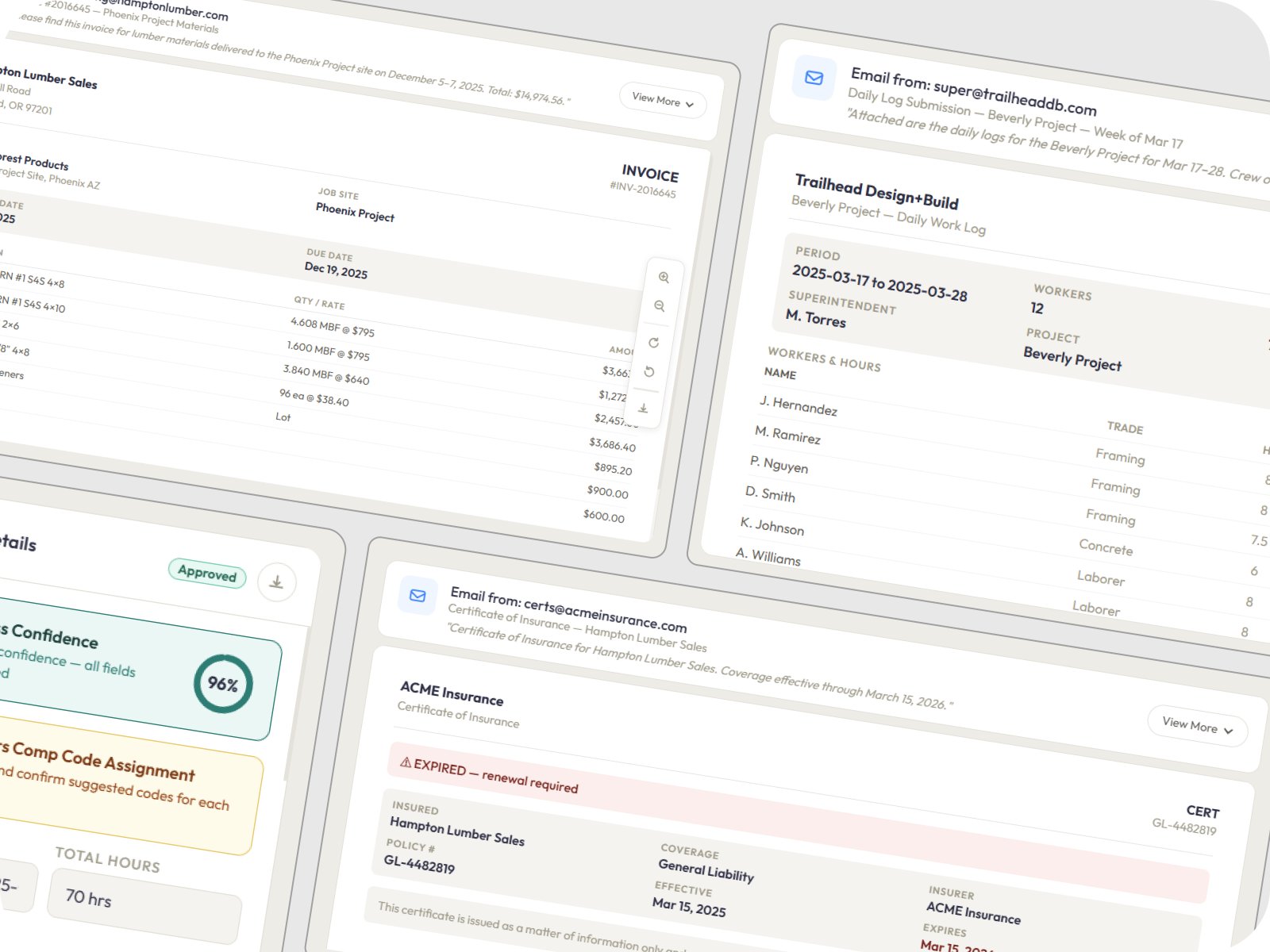
A construction company's office team was buried in manual data entry — 15–20 hours a week processing daily logs, invoices, and compliance documents. Workers comp audits took 2–3 weeks of spreadsheet work. We built an automation engine that processes everything through existing email workflows. Field teams changed nothing. The back office got their time back.
Manual Data Entry Eliminated
15–20 admin hours/week recovered
Workers Comp Audit Time
2–3 weeks of spreadsheets — one-click export
Documents/Day Capacity
Auto-scaling event-driven processing
Behavior Change Required
Field teams continue emailing as normal
Industry
Construction
Operations management & document processing
Timeline
6 Weeks
3 bi-weekly sprints — foundation to production
Team
5 Specialists
1 Strategist · 2 Engineers · 1 AI/OCR Specialist · 1 QA
Technology
Next.js · Node.js
PostgreSQL · BullMQ · Redis · Tesseract · Azure Doc Intelligence
Construction companies generate an enormous volume of operational paperwork every day. Invoices arrive in inconsistent formats. Daily site logs come in from field superintendents and subcontractors with no standard structure. Insurance certificates and compliance documents sit in inboxes with expiration dates that nobody tracks until it's too late. All of it flows through email — and all of it gets processed by hand.
Office administrators were spending 15–20 hours per week on manual data entry alone. When workers comp audit season arrived, someone had to spend 2–3 weeks manually aggregating hours across spreadsheets, mapping tasks to comp codes from a list of 100+ categories, and assembling the audit submission.
The industry's existing solutions — full ERP systems and heavy field apps — required exactly the kind of behavior change that construction teams resist. Field crews won't download a new app. Superintendents won't fill out structured digital forms. Any solution that demands behavior change is dead on arrival in construction.
The core problem: The client needed automation that works with email-based workflows, not against them. Field teams had to keep emailing daily logs, invoices, and compliance docs exactly as they always had — and the back office needed the system to read, extract, classify, and route those documents automatically.
A purpose-built system designed around the specific constraint — not a generic tool configured to fit.
System monitors designated inboxes and ingests every incoming document — PDFs, iPhone photos, scanned pages, and email body text. A provider-agnostic OCR layer combines Tesseract with Azure Document Intelligence for table detection and key-value extraction. A preprocessing pipeline handles automatic rotation detection, contrast enhancement, and noise reduction for blurry job-site photos. Every extracted field receives a confidence score. Documents with low-confidence fields route to the Review Queue.
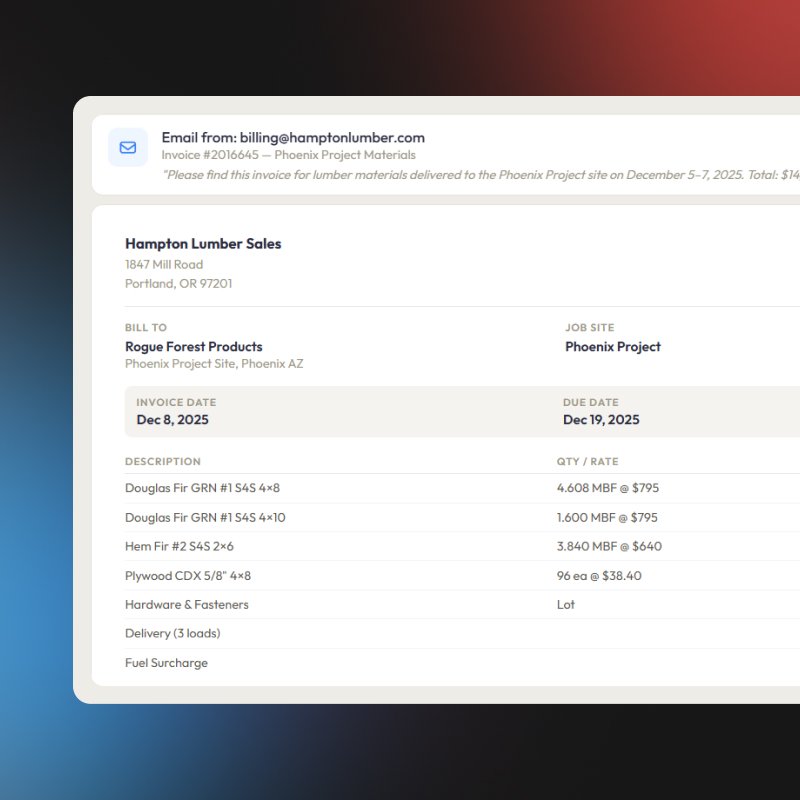
Daily logs arrive from field superintendents in every format imaginable. The system extracts worker names, tasks, hours, and job references via OCR, then matches each entry to workers comp codes using a rule-based suggestion engine with job/task keyword matching. The Review Queue presents the top 1–3 suggested comp codes per entry. Once approved, the system aggregates hours per worker, per job, and per comp code — then exports audit-ready tables in CSV or JSON for direct submission to insurance carriers. What previously took 2–3 weeks now takes minutes.
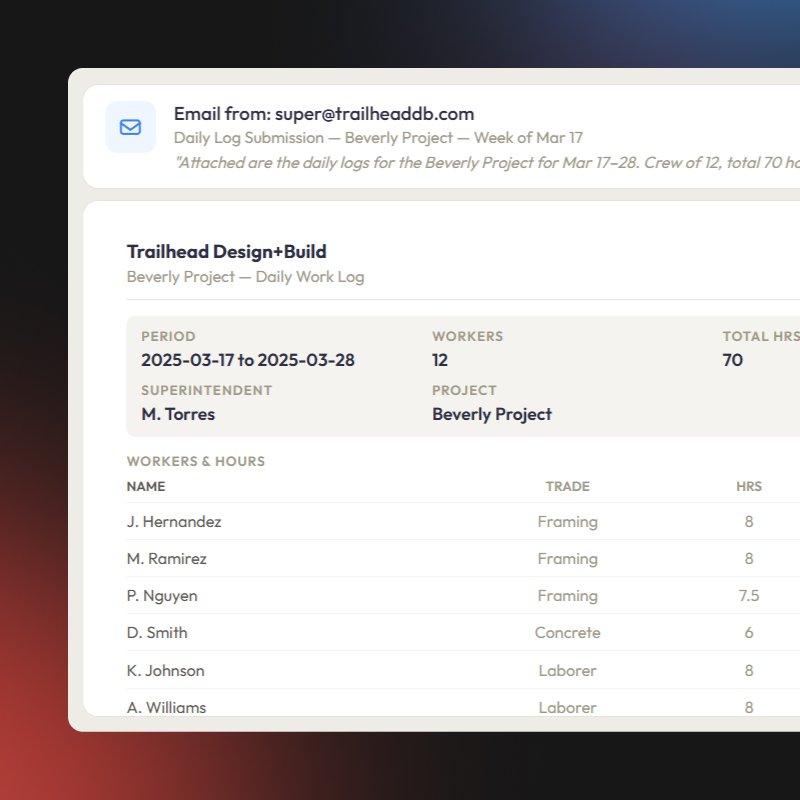
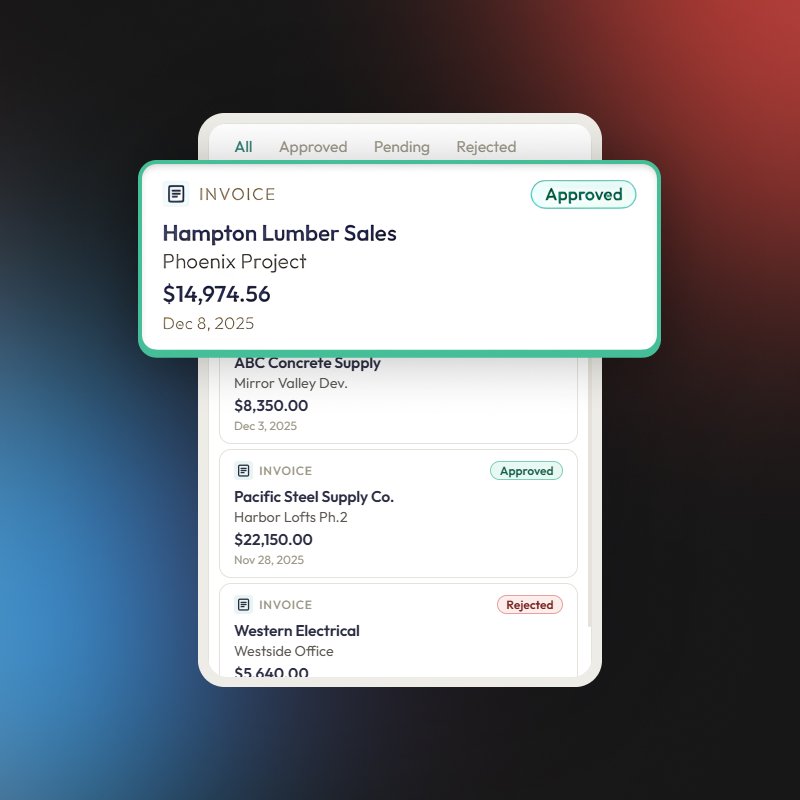
Invoices are ingested via email, and OCR extracts invoice numbers, totals, dates, and vendor information. A vendor normalization engine handles construction's inconsistency — "ABC Plumbing," "ABC Plumbing Inc," and "A.B.C. Plumbing LLC" all resolve to the same contractor via fuzzy matching and alias tables. Duplicate invoice detection prevents accidental double-payments. Configurable threshold-based routing sends invoices below the PM limit straight through, routes mid-range invoices to the project manager, and escalates over-limit invoices to the owner.
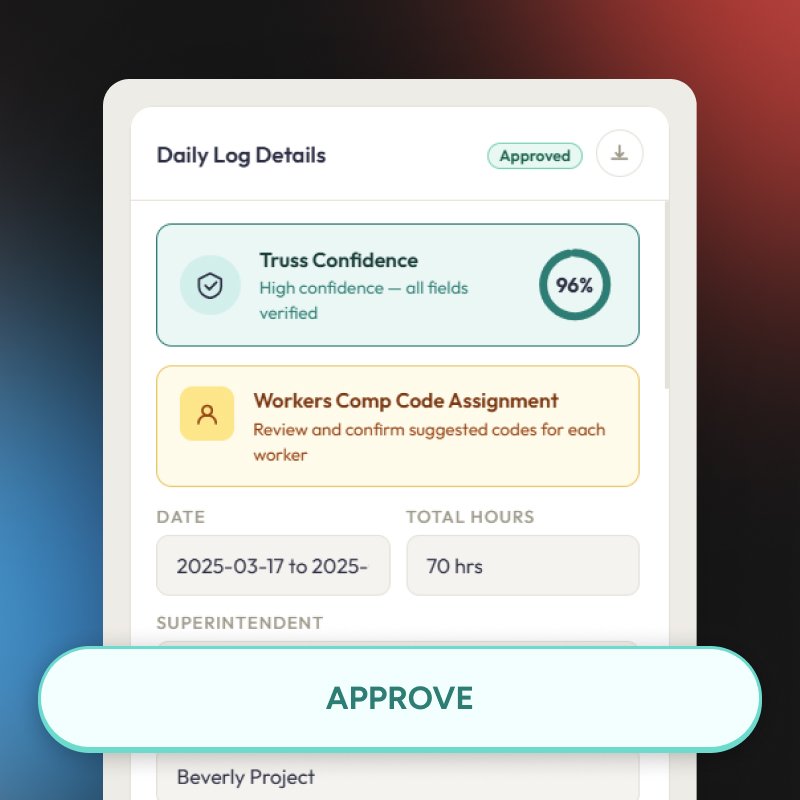
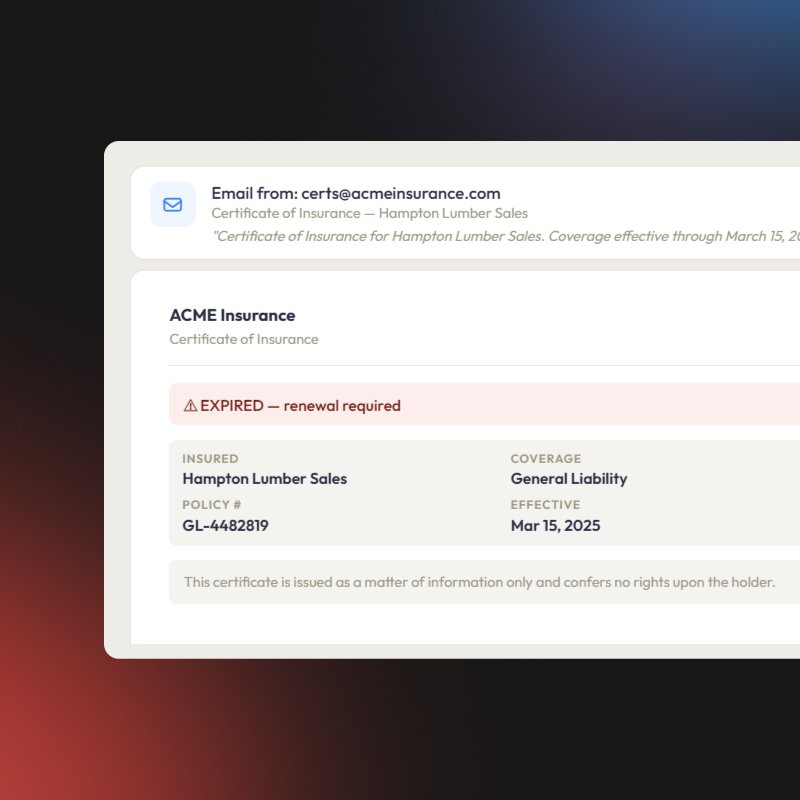
Certificates of insurance, workers comp policies, and compliance documents are ingested and parsed for expiration dates, vendor information, and document type. System tracks every document's status — active, expiring soon, or expired — and sends proactive email alerts at configurable intervals: 30 days, 15 days, 7 days, and upon expiration. A compliance summary dashboard shows real-time vendor status across all active projects. Compliance documents no longer expire silently.
Single interface where office administrators handle every exception across all three workflows. Each item shows a side-by-side PDF or image preview with extracted field overlays. Actions are approve, fix, or reject — with keyboard shortcuts for fast processing. Inline suggestions for workers comp codes, vendors, jobs, and cost codes allow corrections without leaving the queue. The design philosophy: handle the 10–20% that needs human attention. Everything else has already passed straight through.
Every processed document generates structured output in CSV and JSON formats ready for integration with existing accounting software, insurance carriers, and audit systems. A complete audit trail tracks every document from original email submission through OCR extraction, classification, Review Queue actions, and final export. Every approval is logged with reviewer IDs, timestamps, and any corrections made — the accountability that manual spreadsheet workflows never could provide.
No bolt-on integrations. Every tool chosen for the specific constraints of this project.
80–90% of all incoming documents now process automatically — no human touches them. Workers comp audits collapsed from 2–3 weeks of spreadsheet work to minutes with one-click structured exports. Office administrators recovered 15–20 hours per week previously consumed by manual data entry.
The system processes 500+ documents per day with automatic load balancing via an event-driven queue architecture. OCR accuracy sits at 94%+ across field-submitted documents — including the blurry iPhone photos, rotated scans, and inconsistent formats that are standard in construction.
The most important metric is the one hardest to quantify: zero adoption friction. Field teams — superintendents, subcontractors, foremen — changed absolutely nothing about how they work. They keep emailing daily logs, invoices, and compliance documents exactly as they always have. The automation happens entirely behind the scenes.
Compliance documents no longer expire silently. The proactive alert system sends escalating notifications at 30, 15, and 7 days before expiration — and flags non-compliant vendors before they create project delays or legal liability.
Before
After
No pitch. No pressure. Tell our AI about your challenge — it will match you with the most relevant solution and show you exactly how we'd approach it.
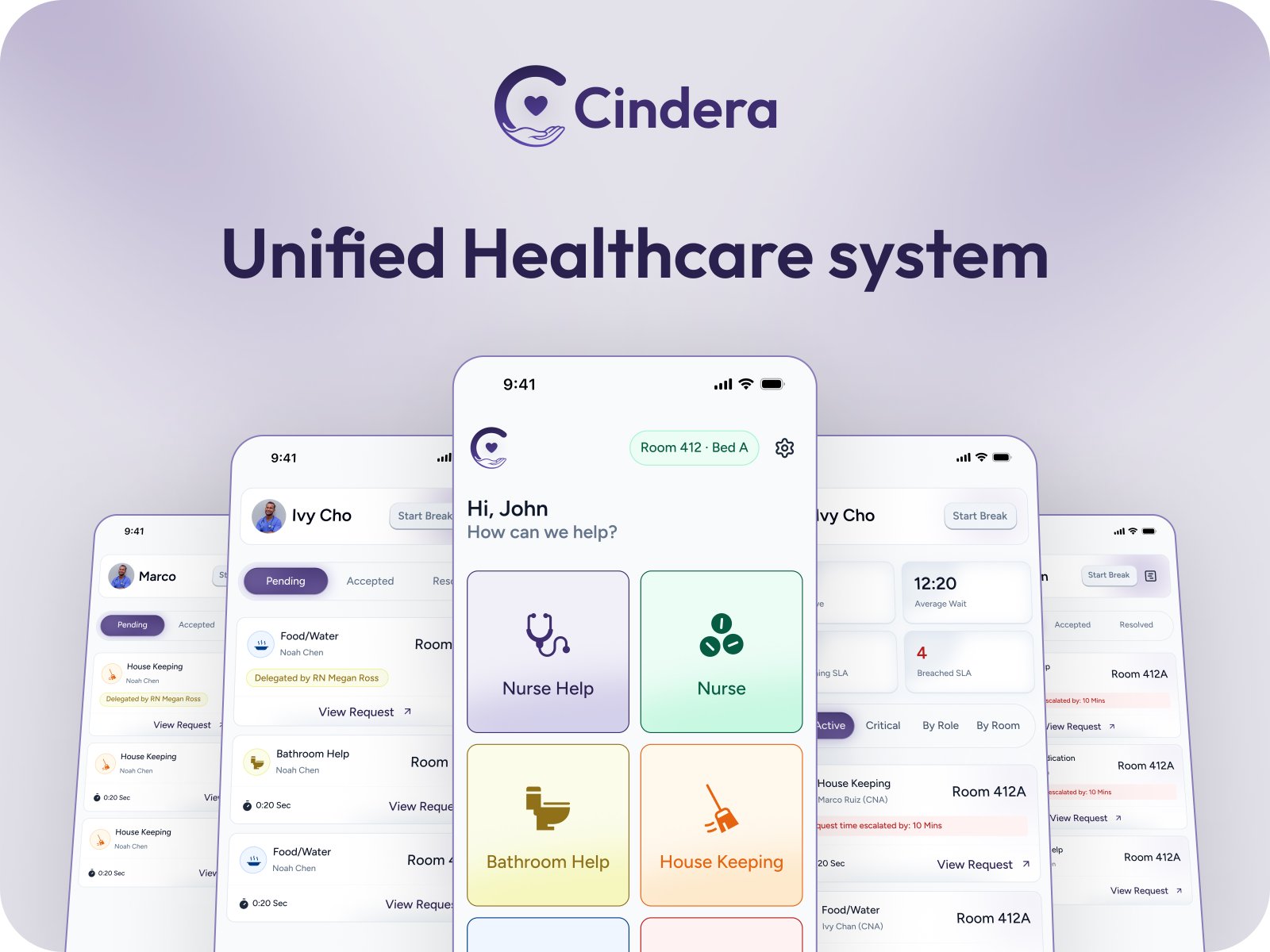
Cindera is a BYOD patient communication platform that lets hospitalized patients submit categorized requests from their own phones, routes each request to the right staff role, and gives patients real-time visibility from "sent" to "resolved."
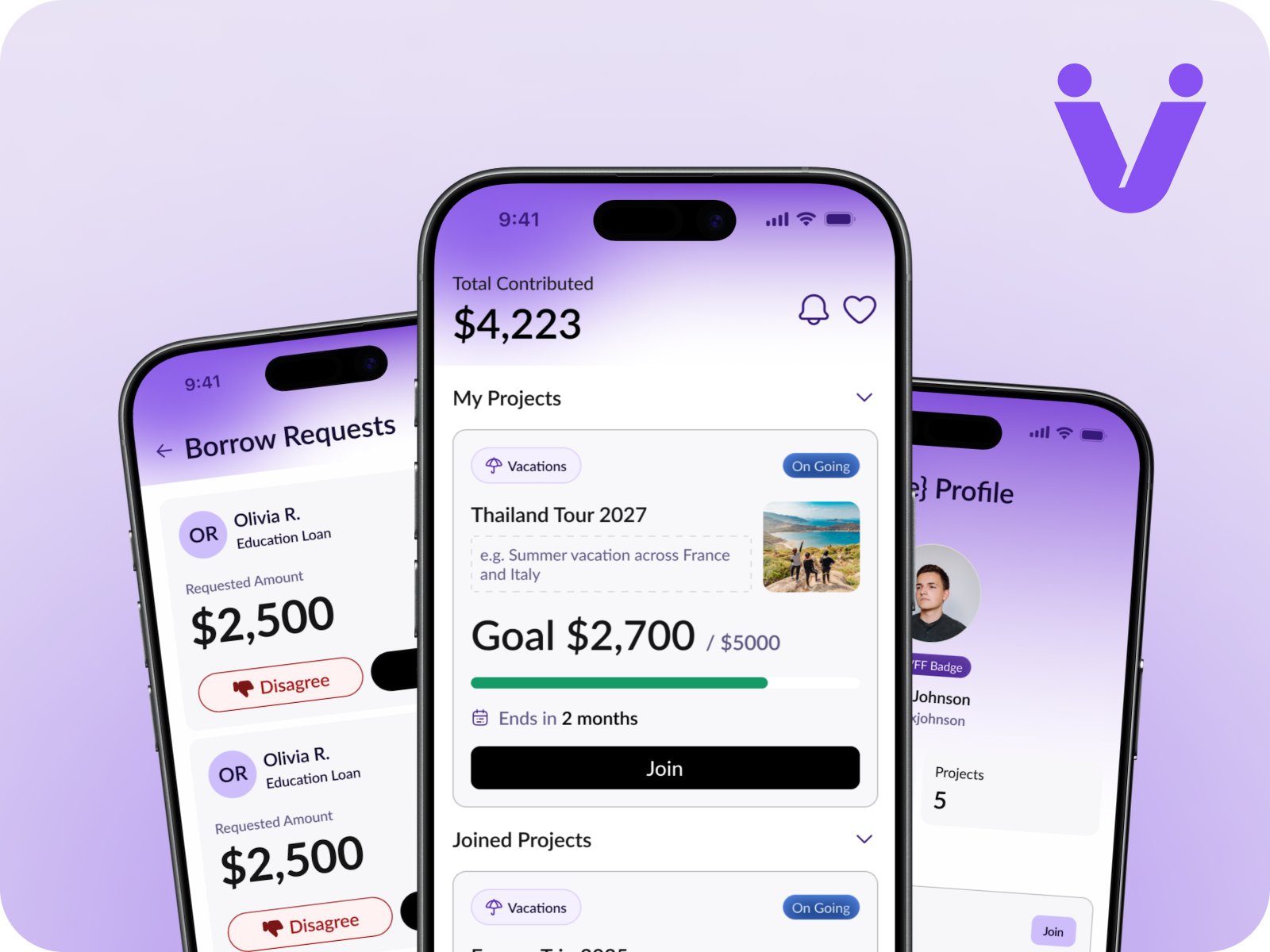
Informal group savings — susu, chama, tontine — have existed for generations with no structure, no accountability, and no app. We designed and built Vesties: a full-stack mobile platform that gives trusted groups a democratic, transparent, and governed way to pool money, borrow from the collective pot, and invest together — all from their phones.
